


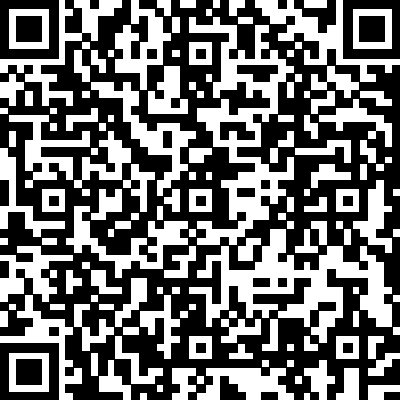
 Download link: [https://oteam-tdesign-1258344706.cos.ap-guangzhou.tencentcos.cn/flutter/tdesign-flutter-0.2.7-314.apk](https://oteam-tdesign-1258344706.cos.ap-guangzhou.tencentcos.cn/flutter/tdesign-flutter-0.2.7-314.apk)
**iOS**: Run the project to preview
[https://github.com/Tencent/tdesign-flutter/tree/main/tdesign-component](https://github.com/Tencent/tdesign-flutter/tree/main/tdesign-component)
## 🔨 Installation
### SDK Requirements
```yaml
dart: ">=3.2.6 <4.0.0"
flutter: ">=3.16.0"
```
### Add Dependency
Add the following to your `pubspec.yaml`:
```yaml
dependencies:
tdesign_flutter: ^0.2.7
```
### Import
```dart
import 'package:tdesign_flutter/tdesign_flutter.dart';
```
## 📖 Usage
### Theme Configuration
Configure theme styles (colors, font sizes, font styles, corner radius, shadows) through JSON files. Retrieve theme data using `TDTheme.of(context)` or `TDTheme.defaultData()`.
> **Recommendation**: Use `TDTheme.of(context)` for components that should follow the local theme. Only use `TDTheme.defaultData()` for components that don't need to follow local themes.
```dart
// Colors
TDTheme.of(context).brandNormalColor
// Fonts
TDTheme.defaultData().fontBodyLarge
```
### Icons
TDesign icons are in TTF format and do not follow the theme:
```dart
Icon(TDIcons.activity)
```
## 🎨 Custom Theme
TDesign Flutter provides two flexible theming approaches:
### Method 1: JSON Configuration
Define theme properties directly in JSON format:
```dart
String themeConfig = '''
{
"myTheme": {
"color": {
"brandNormalColor": "#D7B386"
},
"font": {
"fontBodyMedium": {
"size": 40,
"lineHeight": 55
}
}
}
}
''';
MaterialApp(
theme: ThemeData(
extensions: [TDThemeData.fromJson('myTheme', themeConfig)!],
),
// ...
)
```
> For all available theme keys, see [td_default_theme.dart](https://github.com/Tencent/tdesign-flutter/blob/develop/tdesign-component/lib/src/theme/td_default_theme.dart)
### Method 2: Theme Generator (Recommended)
If you don't want to customize too many colors but still want a beautiful custom theme, the "Theme Generator" is a great choice.
> **Note**: Since [v0.2.6](https://tdesign.tencent.com/flutter/changelog), the Theme Generator supports "Dark Mode". See [Dark Mode](https://tdesign.tencent.com/flutter/dark-mode) for details.
1. **Generate**: Visit [TDesign Theme Generator](https://tdesign.tencent.com/vue/custom-theme), click the theme generator below, select your desired colors in the generator on the right, and click download.
2. **Convert**: You will get a `theme.css` file. Place it in `tdesign-component/example/shell/theme/`, modify `css2JsonTheme.dart` with your file name, theme name, and output path to generate a `theme.json` file.

3. **Apply**: Load the theme JSON into `TDTheme`, and your beautiful custom theme is ready.
```dart
// Enable multi-theme support
TDTheme.needMultiTheme();
var jsonString = await rootBundle.loadString('assets/theme.json');
var _themeData = TDThemeData.fromJson('green', jsonString);
// ...
MaterialApp(
title: 'TDesign Flutter Example',
theme: ThemeData(
extensions: [_themeData]
),
home: MyHomePage(title: 'TDesign Flutter Components'),
);
```
### Dark Mode Support
Theme configurations generated by the Theme Generator support dark mode colors by default.
```dart
// Enable multi-theme support
TDTheme.needMultiTheme();
// ...
// Set three properties in MaterialApp as follows. If you have custom theme properties, you can modify them using the copyWith() method.
// Note: Theme switching needs to be implemented by the business side, e.g., using Provider. See tdesign-flutter/tdesign-component/example/lib/component_test/dark_test.dart for reference.
MaterialApp(
theme: _themeData.systemThemeDataLight,
darkTheme: _themeData.systemThemeDataDark,
themeMode: themeModeProvider.themeMode,
// ...
)
```
## 🌍 Internationalization
TDesign Flutter does not have built-in internationalization, but supports integration with Flutter's i18n capabilities. You can extend the `TDResourceDelegate` class, which abstracts all text resources inside the components, override the methods to get text for internationalization, and inject it via `TDTheme.setResourceBuilder`.
### Quick Setup
1. **Override `TDResourceDelegate` class:**
```dart
/// Internationalization resource delegate
class IntlResourceDelegate extends TDResourceDelegate {
IntlResourceDelegate(this.context);
BuildContext context;
/// Internationalization requires updating context each time
updateContext(BuildContext context) {
this.context = context;
}
@override
String get cancel => AppLocalizations.of(context)!.cancel;
@override
String get confirm => AppLocalizations.of(context)!.confirm;
}
```
2. **Inject `TDResourceDelegate` class:**
```dart
var delegate = IntlResourceDelegate(context);
return MaterialApp(
home: Builder(
builder: (context) {
// Set the text delegate. Internationalization only takes effect after MaterialApp is initialized, and context needs to be updated each time.
TDTheme.setResourceBuilder((context) => delegate..updateContext(context), needAlwaysBuild: true);
return MyHomePage(
title: AppLocalizations.of(context)?.components ?? '',
);
},
),
// Set internationalization
locale: locale,
supportedLocales: AppLocalizations.supportedLocales,
localizationsDelegates: AppLocalizations.localizationsDelegates,
);
```
3. For Flutter internationalization configuration, please refer to the official documentation: [Internationalizing Flutter apps](https://docs.flutter.dev/ui/accessibility-and-internationalization/internationalization)
## ❓ FAQ
### Text Centering
- **v0.1.4**: After Flutter 3.16, rendering engine changes caused font offset issues with `forceVerticalCenter`. Disable this by setting `kTextForceVerticalCenterEnable=false`.
- **v0.1.5**: Adapted Chinese text centering for both Android and iOS. For other languages, customize by overriding `TDTextPaddingConfig`'s `paddingRate` and `paddingExtraRate`. See `TDTextPage` for usage.
## 🔗 More Examples
For more usage examples, refer to [example/lib/page/](https://github.com/Tencent/tdesign-flutter/tree/develop/tdesign-component/example/lib/page)
## 🌐 TDesign Component Libraries
TDesign provides component libraries for other platforms and frameworks:
| Platform | Repository |
|----------|------------|
| Vue 2.x | [tdesign-vue](https://github.com/Tencent/tdesign-vue) |
| Vue 3.x | [tdesign-vue-next](https://github.com/Tencent/tdesign-vue-next) |
| React | [tdesign-react](https://github.com/Tencent/tdesign-react) |
| Vue 3.x Mobile | [tdesign-mobile-vue](https://github.com/Tencent/tdesign-mobile-vue) |
| React Mobile | [tdesign-mobile-react](https://github.com/Tencent/tdesign-mobile-react) |
| WeChat Miniprogram | [tdesign-miniprogram](https://github.com/Tencent/tdesign-miniprogram) |
## 🤝 Contributing
Contributions are welcome! Please read the [contributing guidelines](CONTRIBUTING.md) before submitting your [Pull Request](https://github.com/Tencent/tdesign-flutter/pulls).
 ## 🙏 Acknowledgements
TDesign Flutter depends on the following component libraries. We appreciate the authors for their open-source contributions:
- [easy_refresh](https://pub.dev/packages/easy_refresh)
- [flutter_swiper](https://pub.dev/packages/flutter_swiper)
- [flutter_slidable](https://pub.dev/packages/flutter_slidable)
- [image_picker](https://pub.dev/packages/image_picker)
## 📄 License
TDesign Flutter is licensed under the [MIT License](LICENSE).